
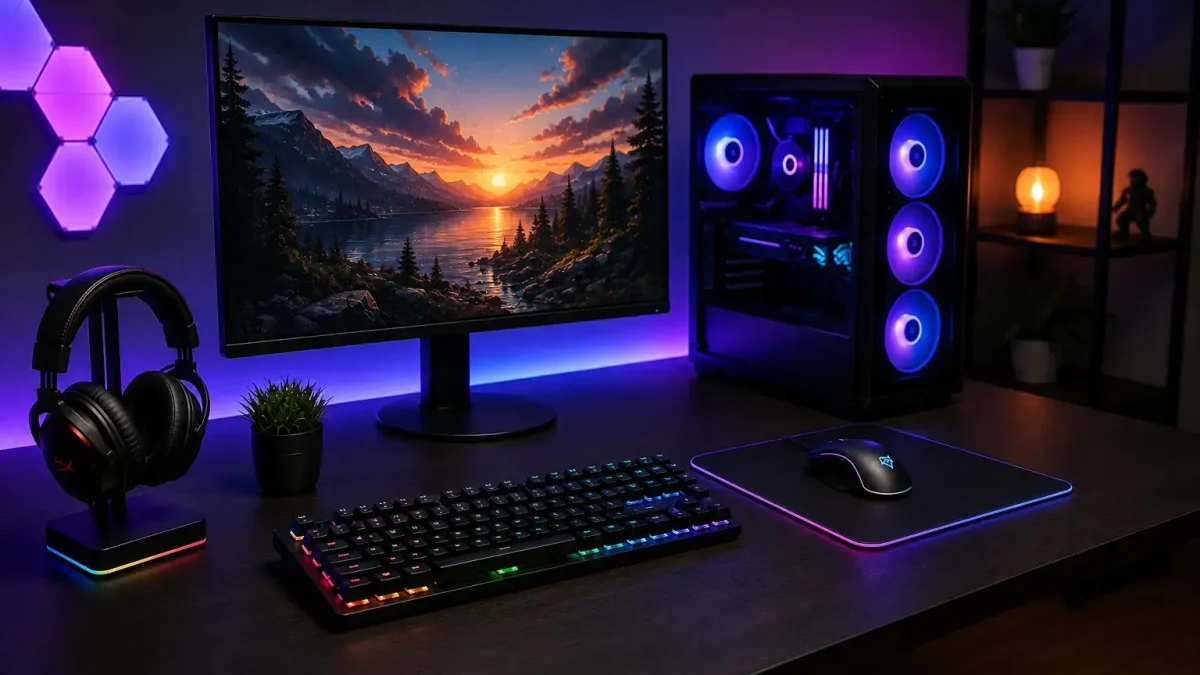
A great gaming setup is about more than just having a powerful gaming PC or console. The right accessories can improve comfort, control, audio quality, and your overall gaming experience. In this guide, we look at the 10 gaming accessories every gamer should have, from essential gaming peripherals to useful additions for a more comfortable setup.
You don't always need the most expensive equipment to build a good gaming setup. The best gaming accessories are the ones that match your gaming style, hardware, comfort requirements, and budget.
1. Gaming Mouse
A gaming mouse is one of the first accessories many PC gamers consider. Compared with a regular office mouse, gaming mice commonly offer accurate sensors, programmable buttons, adjustable DPI, and features designed for gaming.
These features can be particularly useful in FPS and action games where precise mouse movement matters. However, a higher DPI number does not automatically mean a better mouse. Comfort, grip style, weight, sensor performance, and button quality are also important.
When building a setup around the 10 gaming accessories every gamer should have, a comfortable and accurate gaming mouse is a good place to start. Consider the sensor, weight, grip style, button quality, DPI adjustment, and whether you prefer wired or wireless connectivity.
2. Mechanical Gaming Keyboard
A mechanical gaming keyboard can make both gaming and everyday typing more enjoyable. Mechanical switches provide different types of feedback, allowing gamers to choose between linear, tactile, and clicky switches.
If you're unsure whether mechanical or membrane keyboards are right for you, our guide on mechanical vs membrane keyboards explains the major differences in gaming performance, feel, durability, noise, and price.
Useful gaming keyboard features include:
- Anti-ghosting
- N-key rollover
- Durable switches
- Programmable keys
- RGB lighting
- Low-latency connection
An expensive keyboard does not necessarily have to include every feature. Focus on switch quality, comfort, build quality, and the functions you will actually use.
3. Gaming Headset
Audio is an important part of modern gaming. A good gaming headset can help you hear team communication, gunfire, vehicles, environmental sounds, and footsteps. This can be especially useful in multiplayer and competitive games.
Before buying a headset, consider sound quality, microphone quality, comfort, connectivity, and battery life if you choose a wireless model.
Comfort is particularly important if you play for long sessions. Pay attention to ear cushions and overall weight instead of choosing a headset based only on appearance.
4. Large Gaming Mouse Pad
A large gaming mouse pad can provide more room for mouse movement and a consistent surface for your sensor. This can be useful for players who use lower sensitivity, especially in FPS games.
Cloth mouse pads generally provide controlled movement, while hard surfaces can feel faster and smoother. Your preferred surface ultimately depends on your gaming style and mouse sensitivity.
If you frequently reach the edge of your mouse pad during gameplay, moving to a larger size can be a simple and useful upgrade.
5. Gaming Controller
Even if you mainly play games on a PC, keeping a gaming controller available can be useful. Analog sticks and triggers can feel more natural in racing, sports, fighting, and some third-person games.
A controller can also be convenient when your gaming PC is connected to a TV and you want to play from a distance.
Before buying one, check PC compatibility, wireless functionality, battery life, button durability, analog stick quality, and trigger response.
6. Gaming Monitor
Your monitor has a major impact on how games look and feel. A high-refresh-rate gaming monitor can provide smoother motion, particularly in competitive games. Players who prioritize visual quality may also prefer 1440p or 4K resolution.
Adaptive-sync technologies can also help provide a smoother gaming experience. You can learn more about G-SYNC technology directly from NVIDIA .
Important monitor specifications include:
- Resolution
- Refresh rate
- Response time
- Panel type
- Adaptive sync
- Screen size
Remember that your monitor should match your PC's capabilities. A very high resolution display may not provide its full benefit if your hardware cannot deliver the required gaming performance.
7. Comfortable Gaming Chair
Comfort becomes increasingly important during long gaming sessions. Your chair should provide suitable support for your back, lower body, and arms.
A dedicated gaming chair is not essential. A comfortable ergonomic office chair can also be a good choice if it provides the support and adjustability you need.
When choosing a chair, consider:
- Adjustable height
- Lumbar support
- Adjustable armrests
- Seat depth
- Overall comfort
For a practical gaming setup, ergonomics and comfort should matter more than simply choosing a chair because it looks like a racing seat.
8. USB Hub
Modern gaming setups can quickly run out of USB ports. A mouse, keyboard, headset, microphone, webcam, controller, and external storage can all require connections.
A USB hub can provide additional connections and help keep your gaming setup organized.
When choosing one, consider the USB standard , data-transfer speed, power delivery, and whether an external power adapter is required.
9. Dedicated Gaming Microphone
A dedicated gaming microphone can be useful for gamers who regularly communicate with teammates or create YouTube and streaming content.
Headset microphones can work well, but a dedicated USB microphone can provide clearer and more consistent voice audio when properly positioned and configured.
Useful microphone features include:
- Mute button
- Gain control
- Headphone monitoring
- USB connectivity
- Adjustable stand
- Boom-arm compatibility
For gaming creators, clear voice audio can make content easier for viewers to understand and enjoy.
10. Gaming Desk
A gaming desk is the foundation of your physical setup. It needs enough space for your monitor, keyboard, mouse, speakers, microphone, and other gaming accessories.
A well-organized desk can also make cable management easier and keep your gaming area more comfortable.
Before buying a desk, consider its width, depth, height, weight capacity, construction quality, and cable-management options.
If you expect to add a second monitor or streaming equipment later, choosing a desk with additional space can help you avoid upgrading too soon.
Best Gaming Accessories for Different Gamers
Not every gamer needs exactly the same equipment. The most useful accessories depend on the games you play, your setup, and how you use your gaming system.
The 10 gaming accessories every gamer should have can also vary depending on whether you are a PC gamer, competitive player, console gamer, streamer, or casual player.
| Gamer Type | Useful Accessories |
|---|---|
| PC Gamer | Gaming mouse, keyboard, mouse pad, headset and monitor |
| Competitive Gamer | Accurate mouse, mechanical keyboard, headset and high-refresh-rate monitor |
| Console Gamer | Controller, headset, gaming monitor and comfortable chair |
| Streamer / Creator | Microphone, headset, webcam, desk and comfortable chair |
| Casual Gamer | Mouse, keyboard, headset and mouse pad |
How to Choose the Best Gaming Accessories
Choosing from the 10 gaming accessories every gamer should have depends on your gaming style, setup, budget, and personal needs.
If you're building your first PC gaming setup, start with the basics: a good mouse, keyboard, headset, mouse pad, and monitor. You can then upgrade your setup based on the problems you actually experience.
Competitive players may benefit more from an accurate mouse and high-refresh-rate display, while streamers may want to prioritize microphone quality and a comfortable workspace. Console players may get more value from a good controller, headset, and gaming display.
Before purchasing any gaming accessories, consider comfort, compatibility, durability, performance, and value for money.
Best Gaming Accessories on a Budget
Building a gaming setup doesn't mean you have to purchase premium equipment immediately. Start with the accessories that have the biggest impact on your current gaming experience.
If you're looking for affordable options, check our guide to budget gaming accessories for ideas before increasing your setup budget.
A practical upgrade path is usually better than buying everything at once. Upgrade the equipment that improves comfort, control, audio, or performance for the games you actually play.
Do You Need All 10 Gaming Accessories?
No. The 10 gaming accessories every gamer should have are best treated as a useful checklist rather than a requirement to purchase everything.
A PC gamer may need a good mouse, keyboard, headset and mouse pad first. A competitive player may prioritize a high-refresh-rate monitor, while a content creator may benefit more from a dedicated microphone and a larger desk.
Start with the accessory that solves a problem in your current setup and add more equipment as your needs change.
Final Thoughts
The right gaming accessories can make your setup more comfortable, responsive, organized, and enjoyable. However, you don't need to buy everything at once.
The 10 gaming accessories every gamer should have are a useful starting point, but your final setup should depend on the games you play, your comfort, and your budget.
Choose accessories according to the way you actually play rather than buying equipment simply because it is popular or expensive.
Whether you play GTA 5, competitive FPS games, racing games, or story-driven titles, a well-planned setup can improve your overall gaming experience without requiring an unnecessarily large budget.
Frequently Asked Questions
What are the most important gaming accessories?
The 10 gaming accessories every gamer should have include useful equipment such as a gaming mouse, keyboard, mouse pad, gaming headset, monitor, controller, and other accessories. The exact combination depends on your gaming style and setup.
Is it necessary to buy expensive gaming accessories?
No. Expensive equipment is not automatically better. Focus on comfort, performance, compatibility, durability, and your budget when choosing gaming accessories.
What gaming accessories do streamers need?
Streamers may benefit from a dedicated microphone, gaming headset, webcam, comfortable chair, and a desk with enough space for their streaming equipment.
Do I really need a gaming chair?
A gaming chair is not essential. A comfortable ergonomic office chair can also provide good support for long gaming sessions if it fits your body and provides suitable adjustability.
Are wired or wireless gaming accessories better?
Both wired and wireless gaming accessories can work well. Wired devices offer a straightforward connection, while wireless accessories provide convenience and help reduce cable clutter. Choose based on your setup and personal preference.
About the Author
Rahul Gurjar is a gaming influencer and content creator who shares gaming content, gaming setup information, gaming accessories, and technology-related guides on Hurray Gamer.
Last Updated: August 23, 2026
Practical gaming gear for a more comfortable PC setup, from mouse pads to everyday desk essentials.
2 Responses